
TikTok Contact Options: Email, Forms, and In-App Paths

March 14, 2026

Getting a human response from TikTok can feel harder than going viral.

TikTok serves 1.5B+ monthly active users, and its support experience is designed to deflect most issues into self-serve workflows. That is fine until you are dealing with an account lock, repeated content takedowns, payment failures, or a business-critical ad rejection.

This guide breaks down the real TikTok contact options that actually exist in 2026, including in-app paths, official web forms, and what to know about “TikTok support emails” (most are dead ends). You will also get practical tips to increase your odds of a useful reply.

Before you contact TikTok: do these 3 things first

TikTok support moves faster when your request is specific, verifiable, and clearly tied to a policy or a product surface (login, ads billing, IP, privacy). Before you open a ticket, spend 5 minutes on prep.

1) Identify what product you are contacting

TikTok has different support pipes for:

  • The consumer app (posting, profile, comments, LIVE, DMs)
  • TikTok Ads Manager (campaigns, billing, ad account issues)
  • TikTok Shop (orders, fulfillment, returns)
  • Legal and IP (copyright, trademark)
  • Privacy and data rights (access, deletion)

The mistake most teams make is writing a generic “my account is broken” message and sending it to the wrong channel.

2) Collect the details support will request anyway

Have these ready so you do not lose a day to back-and-forth:

  • TikTok username and the email/phone tied to the account
  • Country/region your account is registered in
  • Device model, OS version, app version
  • Exact error message (copy/paste, do not paraphrase)
  • Timestamps (with timezone)
  • Screenshots or screen recording
  • URLs to affected videos (or video IDs)
  • For ads: ad account ID, campaign/ad group/ad IDs, invoice IDs

3) Check whether it is a known outage or enforcement action

If an issue is widespread (login outages, posting failures), support queues spike. If it is enforcement-related (content removal, feature restrictions), you will get farther by referencing the exact policy area and the specific action.

Start at the official TikTok Support Center and search the exact error text.

TikTok in-app support (best starting point for most users)

For the majority of TikTok users, the most reliable TikTok contact path is inside the app. It automatically includes device/app context and routes to the correct internal queue.

Where to find “Report a problem”

In the TikTok app:

  • Go to Profile
  • Tap the Menu (top right)
  • Open Settings and privacy
  • Tap Report a problem

From there, pick the category that matches your issue (Account and profile, Posting, LIVE, Monetization, Messages, etc.). TikTok will often show help articles first, then the option to submit a report.
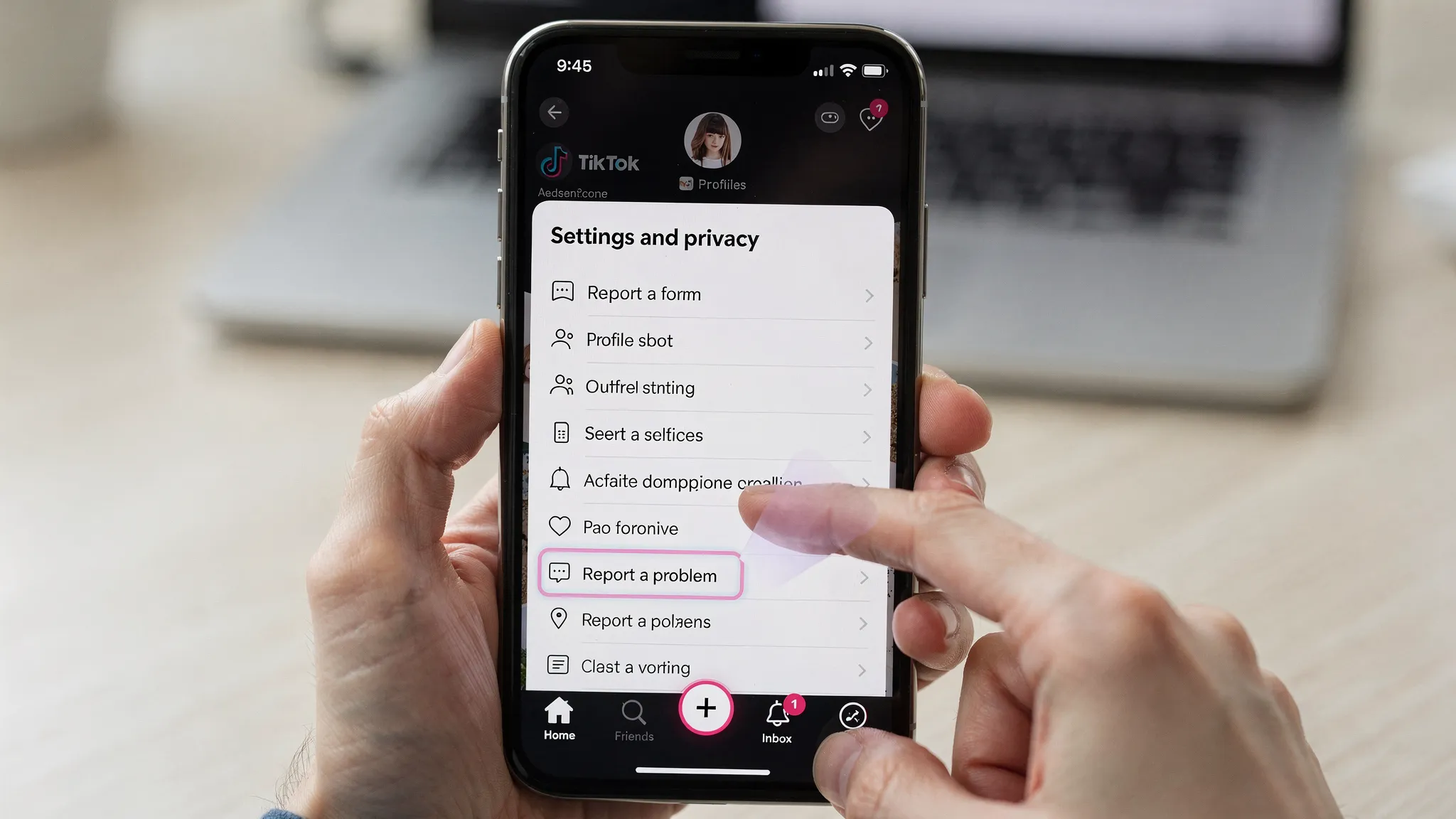
A clear illustration of the TikTok app settings screen showing the “Settings and privacy” menu and the “Report a problem” option highlighted, with a user navigating from Profile to the support form.

Use “Report a problem” strategically

To maximize the chance of escalation:

  • Choose the closest category. Wrong category equals slower routing.
  • Include one sentence on business impact (for example, “ad account cannot spend” or “brand account locked out”).
  • Attach evidence on the first submission.
  • If offered, use any “Need more help?” or “Still have a problem?” button after the help article.

In-app appeals (for content takedowns and enforcement)

If your content was removed, restricted, or your account was penalized, TikTok typically provides an in-app appeal flow on the notice itself.

Appealing inside the enforcement screen is usually more effective than opening a generic ticket, because the appeal attaches directly to the enforcement object.

TikTok web forms (the fastest route for legal, IP, and privacy)

When you need a formal workflow (copyright, trademark, impersonation, privacy rights), web forms are often the “real” TikTok contact method.

Start from the official Support Center and navigate to the relevant topic, where TikTok will link you to the appropriate form.

Intellectual property (copyright and trademark)

If you are a brand, agency, music label, or app company, IP reporting is one of the most common reasons you need TikTok to respond.

Typical situations:

  • Someone re-uploads your creative (UGC, ads, product demos)
  • A competitor runs lookalike creative using your logo
  • A fake account uses your trademark or brand name

Use TikTok’s official IP reporting routes linked from the Support Center and TikTok’s legal pages. Avoid sending IP complaints to random email addresses. IP workflows usually require specific attestations and supporting documentation.

Privacy and data requests

For data access or deletion requests, use TikTok’s privacy channels as linked from the Support Center. These requests are handled differently from “help me fix my account” tickets and can have legal timelines depending on your jurisdiction.

TikTok email contact: what is real vs. what is a dead end

Many people search “tiktok contact email” expecting a single support inbox. In practice, TikTok does not operate like a traditional SaaS helpdesk with a universally published support email that guarantees a response.

Important reality check:

  • TikTok’s primary support model is in-app tickets and official forms.
  • Some TikTok-related email addresses circulate online, but many are unmonitored, auto-responders, or region-specific.
  • Email is also the easiest channel for scammers to impersonate.

How to avoid “fake TikTok support” scams

If someone claims they can “unlock your account” and asks for:

  • Your password or 2FA codes
  • Remote access to your phone
  • Payment in crypto or gift cards
  • A “verification fee”

Assume it is fraud.

Use only official entry points that you can reach from:

  • The TikTok app
  • The official TikTok Support Center

TikTok Business, Ads Manager, and revenue-related support

If you manage spend, run acquisition campaigns, or depend on TikTok for pipeline, you should treat ads support differently than consumer app support.

Ads Manager support tickets

In TikTok Ads Manager, support options vary by region and spend level, but typically include a ticketing flow inside the platform. For billing, spending limits, ad rejections, and compliance issues, opening a ticket from Ads Manager is usually faster than contacting through the consumer app.

Tips that improve resolution speed for ads issues:

  • Include ad account ID and invoice IDs
  • Quote the exact rejection reason (copy/paste)
  • Link the destination URL and confirm it is reachable and consistent
  • If you believe it is a false positive, explain what changed (creative, landing page, tracking)

TikTok Shop support (if relevant)

If your issue relates to TikTok Shop (orders, fulfillment, listing compliance), use the Shop-specific support surfaces inside the Shop Seller Center. Shop problems are rarely solved through generic app tickets.

The 7 most common support scenarios (and the best TikTok contact path)

Below are the scenarios that matter most to founders, growth teams, agencies, and DTC operators.

1) “My account was hacked”

Best path:

  • Use in-app Report a problem under Account and profile
  • Use any in-product “hacked account” or “can’t log in” recovery flow

What to include:

  • When you lost access
  • Whether the email/phone was changed
  • Proof you previously controlled the account (older screenshots, linked email domain, business documents if applicable)

2) “I can’t log in” or “My number/email isn’t recognized”

Best path:

  • In-app login recovery first
  • Then in-app ticket if recovery fails

What to include:

  • The exact login method you used originally (Apple, Google, email, phone)
  • Screenshots of the error

3) “My views dropped to zero, I think I’m shadowbanned”

Best path:

  • First, self-diagnose (recent policy violations, reused content, aggressive automation, spam signals)
  • If you have a specific enforcement notice, use the in-app appeal
  • If you do not have a notice, use in-app Report a problem with concrete symptoms (for example, “videos not entering For You feed, only follower views”)

Avoid:

  • Submitting vague “shadowban” claims with no URLs, no timestamps, no evidence

4) “My video was removed” or “My LIVE access was restricted”

Best path:

  • Use the appeal option directly on the enforcement notice

What to include:

  • Why you believe it fits the policy (one short paragraph)
  • Context that reduces perceived risk (educational intent, licensed content, original footage)

5) “My ads got rejected and I don’t know why”

Best path:

  • Use Ads Manager support ticket

What to include:

  • Campaign IDs
  • Screenshots of the rejection text
  • Your landing page and any compliance disclosures

6) “My ad account is suspended”

Best path:

  • Ads Manager appeal or ticket (not the consumer app)

Be careful with:

  • Spinning up new ad accounts to bypass enforcement (this often escalates risk)

7) “Someone is impersonating my brand”

Best path:

  • Use the impersonation report flows and legal forms linked from the Support Center

What to include:

  • Trademark proof (if you have it)
  • Business registration info
  • The impersonating account URL

How to write a support ticket that actually gets handled

TikTok support is triage-driven. Your goal is to make it easy for an agent (or an internal tool) to categorize, verify, and act.

Use this structure:

Subject line (one sentence)

Example: “Business account locked out after 2FA reset, cannot access username @brandname.”

Summary (2 to 3 sentences)

  • What happened
  • When it started
  • What you need TikTok to do

Evidence (bullet list)

  • Username:
  • Region:
  • Device/app version:
  • Error text:
  • URLs / IDs:
  • Screenshots attached:

What you already tried (one short paragraph)

List the exact steps you attempted so they do not tell you to repeat them.

The ask (one sentence)

Be explicit: “Please restore access to the original login email domain,” or “Please review the enforcement action on video ID X,” or “Please clarify what policy the ad violates and whether edits A/B would resolve it.”

When you are scaling across countries, support risk becomes an operations problem

If you are a founder, agency, or growth lead running multi-market TikTok, support friction compounds:

  • More accounts equals more chances of lockouts and verification issues
  • Timezones slow down recovery when a posting pipeline breaks
  • DIY approaches (especially VPN-based setups) increase the odds of restrictions

TokPortal is built to reduce those operational failures by giving teams a legitimate way to run organic TikTok and Instagram across markets with proper infrastructure (account creation, scheduling, analytics, and optimization) instead of fragile workarounds.

If your goal is not just to “fix one account” but to run consistent multi-country output, start here:

The point is not that you will never need TikTok support. It is that the fewer avoidable account problems you create, the less your growth depends on a black-box contact queue.

Key takeaways

TikTok contact is real, but it is not “send an email and get a reply.” In 2026, the highest-signal paths are:

  • In-app “Report a problem” for most consumer account issues
  • In-app appeals for enforcement and removals
  • Official web forms for IP, impersonation, and privacy
  • Ads Manager tickets for paid media and billing

If you treat support like an engineering incident (clear reproduction steps, IDs, timestamps, and a precise ask), you will get materially better outcomes, and you will waste less time chasing fake “TikTok support emails” that go nowhere.

Step Through the 🌀 Portal to Global Reach

Create Local TikTok Account(s)
and Start Posting Videos

Upload TikToks
Real device - No VPN - Reusable account - Email support 7/7
Any question? Contact us.
x
View Countries