
Tik Tok Open: What It Means and How to Fix It

March 10, 2026

If you’ve landed on a screen that basically says “Tik Tok Open” (or shows an “Open” button that tries to launch TikTok) and nothing happens, you’re not alone. It’s one of those friction points that looks like a simple UI prompt, but it can actually be caused by deep link settings, in-app browsers (Instagram, Gmail, Slack), OS defaults, or even how your marketing links are built.

This guide breaks down what tik tok open typically means, the most common reasons it fails, and practical fixes, both for normal users and for growth teams who need TikTok links to work reliably across countries.

What “Tik Tok Open” means (and why you’re seeing it)

In most cases, “Tik Tok Open” is not an error message from TikTok. It’s a prompt generated by:

  • A mobile web page on tiktok.com that detects you’re on a phone and suggests opening the TikTok app.
  • An in-app browser (Instagram, X, Gmail, LinkedIn, Slack) that renders a TikTok link and tries to hand it off to the TikTok app.
  • A deep link or “universal link” handoff that is supposed to open the native app, but fails due to device settings or link structure.

So when people search tik tok open, they’re usually dealing with one of these situations:
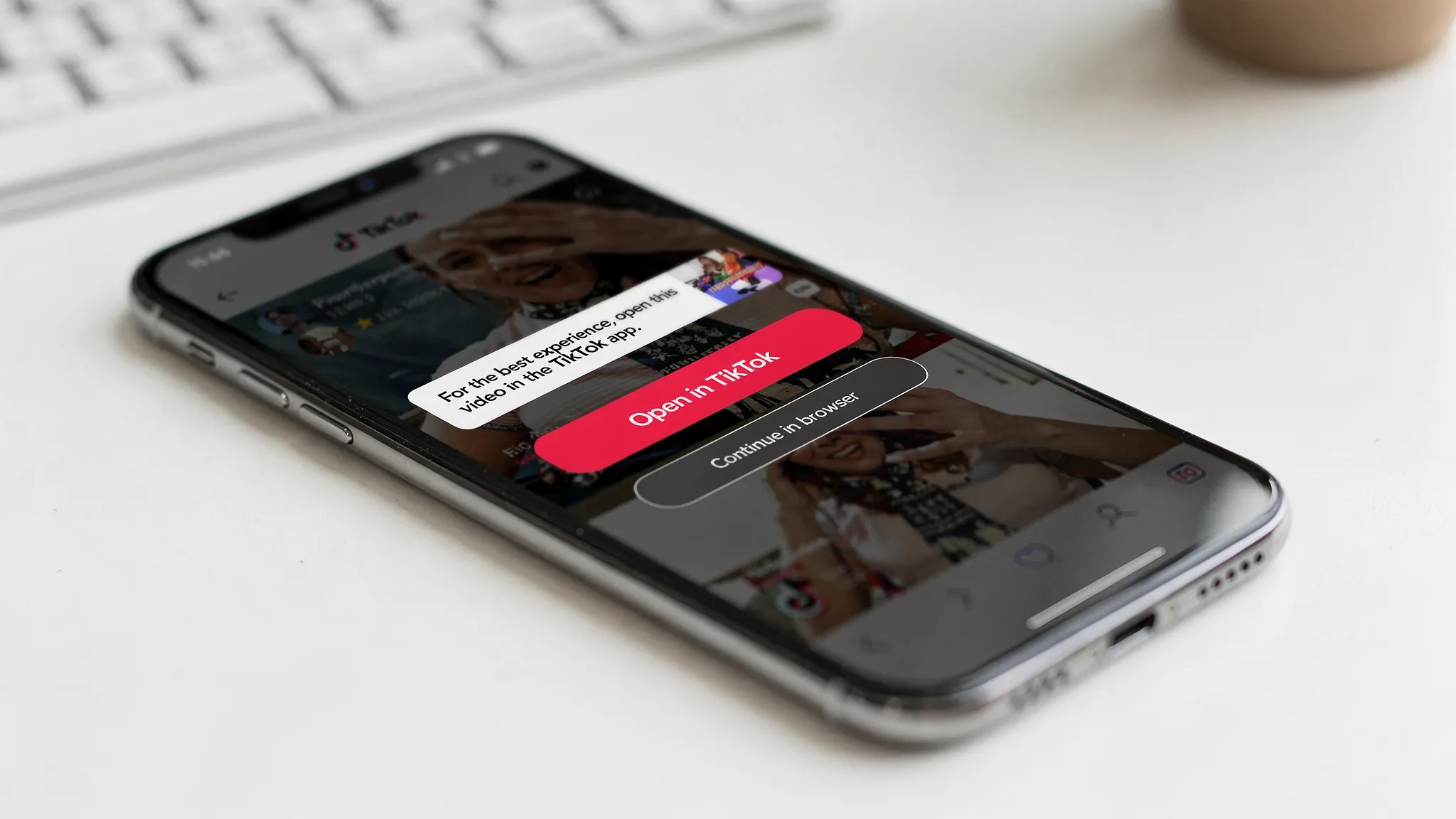
  • You tap a TikTok link and it keeps looping in the browser.
  • You tap “Open in TikTok” but it doesn’t open the app.
  • TikTok opens, but not to the right video/profile.
  • The link opens a blank page, an age gate, or a region-limited view.
A smartphone showing a mobile browser on a TikTok video page with a prominent “Open in TikTok” button, plus a secondary “Continue in browser” option and a small banner explaining the app handoff.

The 7 most common reasons TikTok won’t open from a link

1) TikTok isn’t installed, or you’re not logged in

If TikTok isn’t installed, “Open” can’t hand off to the app. Some browsers also fail to fall back cleanly to web.

What it looks like: you tap Open and nothing happens, or you get stuck on a web page.

2) You’re in an in-app browser that blocks app handoffs

In-app browsers are notorious for breaking universal links.

Examples:

  • Instagram’s in-app browser often intercepts handoffs.
  • Some enterprise apps (Slack, Teams) restrict cross-app launching.

3) Your phone’s default link settings are wrong

On both iOS and Android, link associations can get corrupted.

What it looks like: TikTok links open in Safari/Chrome even though TikTok is installed.

4) Your browser’s privacy settings block the redirect

Aggressive tracking protection, disabled JavaScript, or content blockers can prevent the tiktok.com open prompt from completing the handoff.

5) The link is malformed or heavily redirected

A lot of marketing stacks wrap TikTok links (UTMs, redirectors, link shorteners, tracking domains). Too many hops can break app deep linking.

6) Network restrictions (corporate Wi‑Fi, school networks, some countries)

Some networks block TikTok domains or app traffic. You may be able to browse partially but not complete the open-to-app flow.

7) Region and account context conflicts

Sometimes the link opens, but content isn’t available, the audio is restricted, or the experience changes by country.

This is especially common when you’re trying to operate internationally, where TikTok is heavily geo-contextual.

How to fix “Tik Tok Open” (fast checklist)

Start with the quick wins, then move to device-level fixes.

Step 1: Try opening the link in your main browser (not an in-app browser)

If you tapped the TikTok link inside Instagram/LinkedIn/Gmail, do this:

  • Use the share menu and select Open in Safari (iOS) or Open in Chrome (Android).
  • Then tap Open in TikTok again.

This alone resolves a large percentage of “Open” failures because the system browser handles universal links more reliably.

Step 2: Update TikTok (and your OS)

Outdated app versions often break deep linking.

  • Update TikTok from the App Store / Google Play.
  • If you’re several OS versions behind, update iOS/Android too.

Step 3: Clear TikTok cache (prevents weird loading and stuck states)

TikTok includes a built-in cache clear.

In TikTok:

  • Profile
  • Menu
  • Settings and privacy
  • Free up space
  • Clear cache

TikTok’s own support documentation references clearing cache as a standard troubleshooting step for performance and loading issues (see TikTok Help Center: TikTok Support).

Step 4: Fix link association / default app settings

If TikTok links keep opening in the browser even though the app is installed, reset your defaults.

On Android:

  • Settings
  • Apps
  • TikTok
  • Open by default
  • Enable supported links (wording varies by device)

On iOS:

  • You can’t set TikTok as a universal default the same way Android does, but you can remove blockers, update, reinstall, and ensure Safari isn’t preventing handoffs.

Step 5: Disable VPNs and “location spoofing” tools

Even when you’re not doing anything shady, VPNs can cause:

  • Link handoff failures
  • Extra verification loops
  • Account trust issues

If you’re a marketer managing multiple accounts, this matters even more because repeated anomalous signals can impact account health.

Step 6: Reinstall TikTok (last resort, but effective)

If link associations are corrupted, a reinstall often resets:

  • Universal link handling
  • App permissions
  • Local app storage issues

Step 7: If you’re on desktop, don’t expect identical behavior

Some TikTok links intentionally push users to mobile for the full app experience.

If you need reliable conversion from desktop traffic, use a landing page that:

  • Explains what happens next
  • Offers both “Open in app” and “Continue on web”
  • Tracks clicks cleanly

If you’re a marketer: how to prevent “Tik Tok Open” from breaking your funnel

When someone says “Tik Tok Open isn’t working,” they’re often describing a broken path from:

Ad or organic post → TikTok video/profile → website or app install.

Here’s how to reduce that breakage.

Use the right TikTok link format (and keep it clean)

Prefer canonical TikTok URLs like:

  • Profile URLs (e.g., tiktok.com/@brand)
  • Video URLs (e.g., tiktok.com/@brand/video/...)

Avoid:

  • Multiple shorteners stacked together
  • Redirect chains that add 2 to 5 hops before TikTok
  • “Cloaked” links that change destination based on device

If you must track, keep it minimal (one redirect max), and test across iOS/Android.

Test links inside the apps your audience uses

A TikTok link that works in Chrome may fail in:

  • Instagram in-app browser
  • LinkedIn in-app browser
  • Gmail

Your QA should include at least:

  • iPhone + Safari
  • iPhone + Instagram in-app browser
  • Android + Chrome
  • Android + Instagram in-app browser

Use a smart fallback when TikTok isn’t installed

If TikTok isn’t installed, your link should gracefully:

  • Open the web version, or
  • Send users to the App Store / Google Play, then back to the right content

Many teams use mobile measurement and deep linking providers for this (for example, Branch or AppsFlyer). The key is not the vendor, it’s that you design the flow intentionally.

Watch for geo-context issues if you operate internationally

Even if “open” works technically, performance can still look broken if:

  • Your account is not native to the market you are targeting
  • Your content enters the wrong regional test pool
  • Viewers see different availability (audio, shop, product tags) by country

That’s where a lot of “TikTok is broken” complaints really come from: the workflow is fighting TikTok’s localization mechanics.

The operational fix for global teams: stop relying on VPN workflows

If you’re trying to scale organic TikTok across multiple countries, VPN-based setups create compounding problems:

  • Account creation failures
  • “Suspicious login” loops
  • Random posting friction
  • Inconsistent reach because the account does not behave like a real local account

TokPortal was built specifically to remove this operational drag for brands, agencies, UGC studios, and app growth teams that need repeatable execution.

With TokPortal, you can:

  • Create geo-verified TikTok and Instagram accounts in 9+ countries (USA, UK, France, Canada, Japan, Australia, Italy, Germany, Spain), delivered in about 30 minutes
  • Manage accounts from a unified dashboard
  • Schedule posts with timezone support and bulk upload
  • Track performance with per-account analytics
  • Automate workflows via API access

If you want the “how-to” version of the setup, start with TokPortal’s Quick Guide. If you’re evaluating whether this is the right infrastructure for your team, check pricing.

A clean workflow diagram with four labeled boxes connected by arrows: “Local accounts” → “Scheduling” → “Publishing” → “Analytics”, with small country flags above the first box to indicate multi-market operations.

A practical diagnostic flow (use this when someone says “Tik Tok Open”)

If you manage a team, support inbox, or community, here’s a simple way to triage the issue quickly:

  • Does TikTok open at all from any link? If no, it’s device defaults, in-app browser restrictions, or a broken install.
  • Does it open from Safari/Chrome but not from Instagram/LinkedIn? In-app browser limitation. Use “Open in browser” guidance.
  • Does it open but not to the correct video/profile? Link structure, redirect chain, or deep link parameters.
  • Does it open but content is unavailable or reach is wrong? Geo-context and localization problem.

That last bullet is where most international growth teams get stuck, and where solving “link open” is only step one.

Next step if you’re scaling TikTok across countries

If your goal is simply to get the app to open, the checklist above will fix most cases.

If your goal is bigger, meaning you’re trying to reach real local audiences in multiple markets and run a repeatable organic engine, you need infrastructure that behaves like native operations.
Step Through the 🌀 Portal to Global Reach

Create Local TikTok Account(s)
and Start Posting Videos

Upload TikToks
Real device - No VPN - Reusable account - Email support 7/7
Any question? Contact us.
x
View Countries