


Sign in with Google
Stop waking up at 3 a.m. to hit “Post” for your Asia-Pacific audience. In 2025, brands that still rely on alarms, VPN hacks, or overworked social media interns are losing ground to competitors that automate TikTok posting from genuinely local accounts. This guide shows you how to schedule TikTok uploads at scale—without triggering shadow bans—and why a purpose-built platform like TokPortal has become the go-to solution for global teams.
- Consistency feeds the algorithm. TikTok’s recommendation engine rewards steady publishing cadences. Sounds obvious, yet TikTok’s own 2024 What’s Next trend report noted that accounts posting at least 5 days a week saw 34 % higher median view growth than sporadic creators.
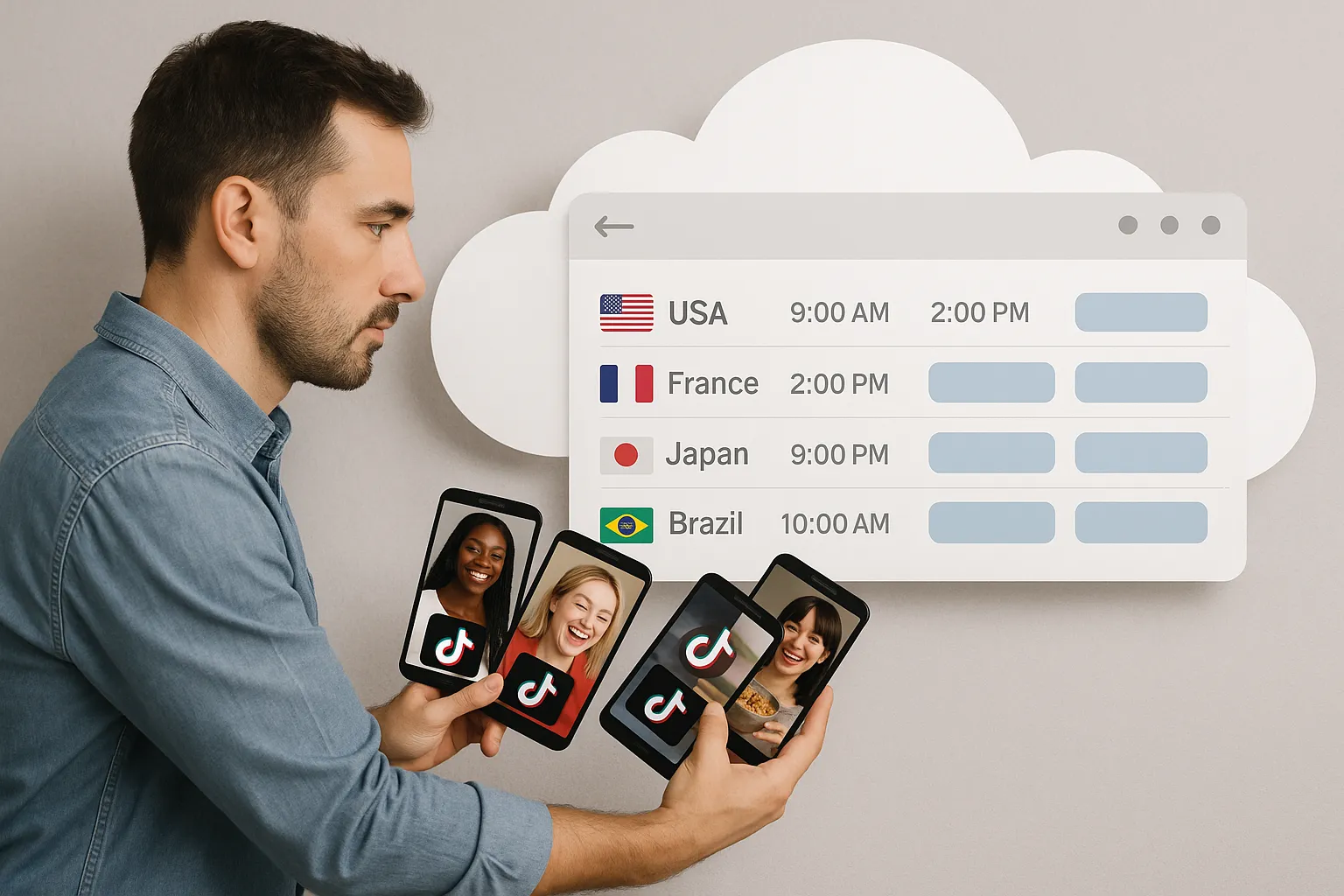
- Local peak windows vary wildly. Prime time in São Paulo is 7 p.m. BRT, but Berlin peaks at 8 p.m. CET and Jakarta at 9 p.m. WIB. Without automation you will always miss somebody’s rush-hour scroll.
- Cross-border competition is heating up. Global TikTok ad spend passed US $15 billion in 2024, pricing smaller brands out of auctions (see our deep dive on paid vs. organic CPV). Automation lets you flood organic slots instead—at a fraction of the cost.
TikTok does not operate like YouTube. The app runs every new video through a local test bubble based on SIM data, device IP, account registration, and even keyboard language. If your Chilean social media manager uploads a clip from her Santiago phone, that video is unlikely to hit British For You feeds—no matter how many #UK hashtags she adds.
That means a scheduler alone is not enough. You need genuine, locally registered accounts posting from the right digital “footprint.” Generic social suites that spoof IP addresses often see reduced reach or full-blown shadow bans, as we explained in VPNs vs. TokPortal.
1. Local Account Infrastructure
- SIM-verified profiles in each target market
- Unique device fingerprints (TikTok now checks IMEI/IDFV pairs)
2. Secure Credential Management
- Encrypted vaults, not sticky notes
- Role-based access so agencies/clients never share raw passwords
3. Time-Zone Aware Scheduler
- Supports daylight-saving shifts automatically
- Lets you queue content months ahead while preserving local publish times
4. Bulk Upload & Versioning
- Drag-and-drop 50 localized cuts at once
- Per-market hashtags, captions, and audio swaps
5. Compliance Guardrails
- Territory-specific music checks
- Mandatory advertising-label toggles (e.g., “#Pub” in France)
6. Analytics Loop
- Country-level view-through and completion-rate dashboards
- Click-to-duplicate top performers into new markets
Some teams still juggle burner phones, local SIM cards, and shared Google Sheets to track who posts what. Here’s what that typically costs:
- Hardware: 10 markets × US $300 midrange phones = US $3,000 upfront
- SIM plans: 10 × US $10/month = US $1,200/year
- Labor: 2 hours weekly per market for manual uploads = 1,040 hours/year. At just US $25/hr, that’s US $26,000.
Contrast that with a tool designed for the job.
TokPortal was built from the ground up to solve geo-locked distribution without violating platform rules.
- Create Real Local Accounts
TokPortal onboards SIM-verified profiles in 40+ countries. You own the credentials; TokPortal just handles provisioning and health checks.
- Single Dashboard, Infinite Time Zones
Queue posts for each account in its native time zone. A Monday 6 p.m. slot in Sydney will not clash with your Monday 6 p.m. slot in Toronto.
- Bulk Scheduling & Cloning
Upload one master video, then auto-generate localized versions with country-specific captions, CTAs, and trending sounds.
- Built-In Compliance
Territory music catalogs flag unlicensed audio before you hit “Schedule.” Local ad-disclosure presets keep you on the right side of regulators (deep dive in Legal Essentials for Foreign Markets).
- Secure Team Access
Grant creators “upload-only” roles while keeping credentials hidden. Enterprise plans offer SSO and audit logs for agencies.
- Volume-Based Pricing
Pay per active account, not per seat, so costs scale with your expansion roadmap (see pricing hacks to cut costs 40 %).
1. Upload Master Cut: Drop your 60-second product demo into the dashboard.
2. Localize Variants: Swap voiceover files with AI dubbing or auto-generate subtitles per language.
3. Customize Captions & Hashtags: Insert region-specific discount codes, currencies, and trending tags.
4. Choose Publish Windows: Pick optimal time slots recommended by TokPortal’s engagement heatmap.
5. Approve & Automate: Final approver clicks “Schedule,” and TokPortal publishes each variant from the correct local device fingerprint.
1. Stagger Drops in Rapid Bursts
Multiple uploads within 48 hours can speed up algorithmic learning for new accounts—a tactic detailed in our Blitz Launch Strategy.
2. Respect Local Cultural Calendars
Queue Ramadan-specific content for MENA regions or Singles’ Day promos for China weeks in advance.
3. Rotate Hooks, Not Just Captions
The first three seconds matter most. Record alternate micro-hooks referencing local slang or celebrities.
4. Leverage Duets and Stitches Automatically
TokPortal lets you bulk-schedule reaction clips that piggyback on trending creators in each market, multiplying discovery.
5. Monitor Completion Rates Daily
If average watch-time drops below 35 %, pause the drip schedule and re-edit your weakest variant.
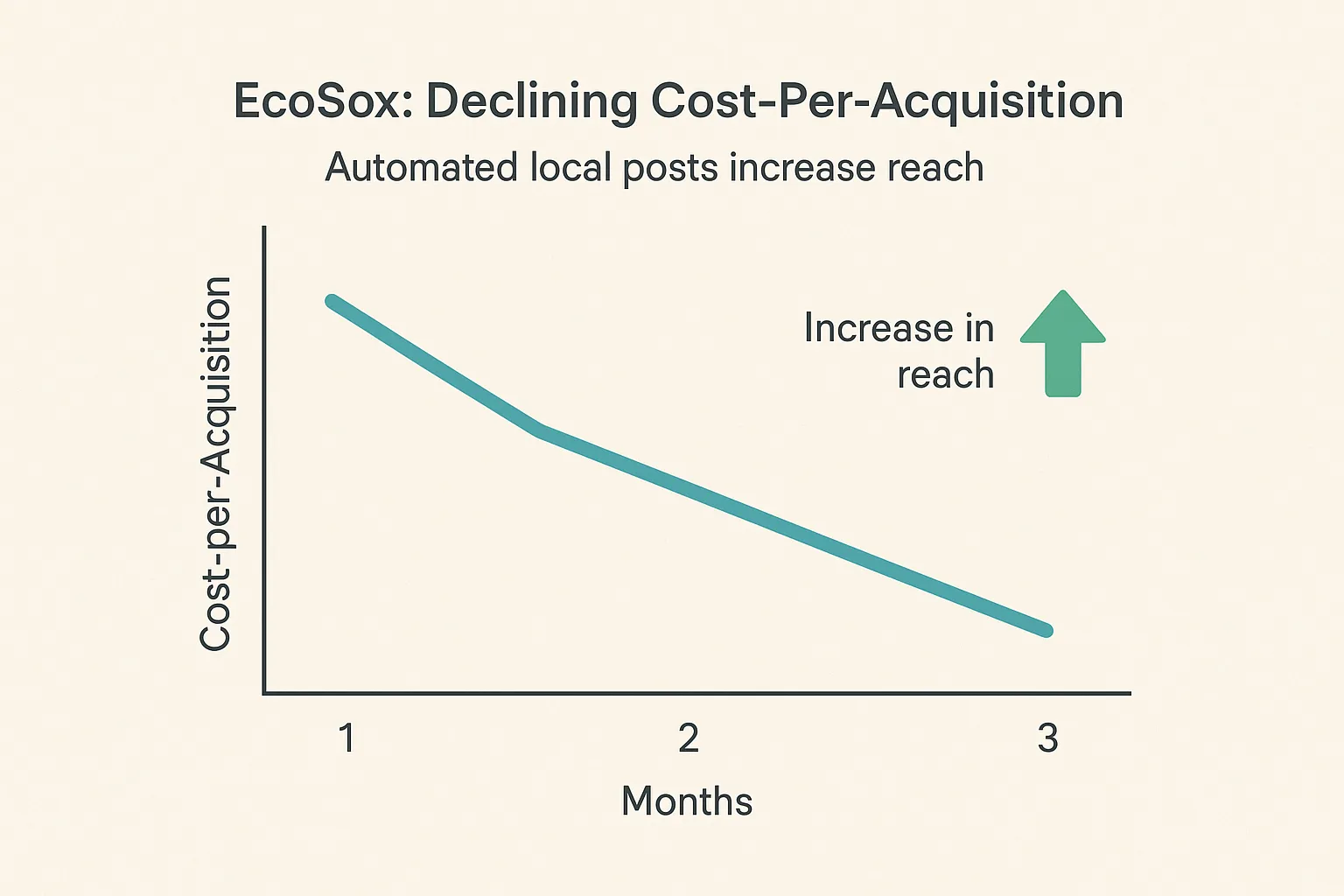
Outdoor apparel brand EcoSox used TokPortal to automate uploads across the US, Germany, and Poland. Over 90 days:
- 450 localized posts queued
- 7.1 million organic views
- 28 % lower cost-per-acquisition versus paid ads alone
Read the full workflow in The Complete Guide to Managing 10+ TikTok Accounts.
- [ ] Map priority countries and target languages
- [ ] Draft 15-30 evergreen videos per market
- [ ] Secure music and commercial rights
- [ ] Set up TokPortal workspace and invite team
- [ ] Provision local accounts via TokPortal or migrate existing ones
- [ ] Upload, localize, and schedule first two weeks of content
- [ ] Review analytics and iterate hooks/captions weekly
Does TikTok allow third-party scheduling tools? Yes. TikTok’s official API supports post scheduling for registered partners like TokPortal. The platform layers additional account-fingerprint protections to maintain local reach.
Will automated posting hurt engagement? Not when done correctly. Automation simply frees humans from manual upload clicks. Content quality, localization fidelity, and timing still drive results.
Can I migrate my existing national account into TokPortal? Absolutely. TokPortal offers a secure handover flow that keeps your followers intact while adding scheduler and compliance features.
How many markets can I manage at once? Current clients run up to 70 localized accounts from a single TokPortal dashboard. Pricing tiers scale based on active profiles, not videos.
Stop juggling burner phones and missing prime-time slots. TokPortal gives you everything you need to automate TikTok posting, own real local accounts, and scale your reach—without sacrificing security or authenticity.
Ready to see it live? Create your free workspace or book a 15-minute demo now at TokPortal.com and start scheduling global uploads before your next competitor does.


 Any question? Contact us.



%401x.svg)